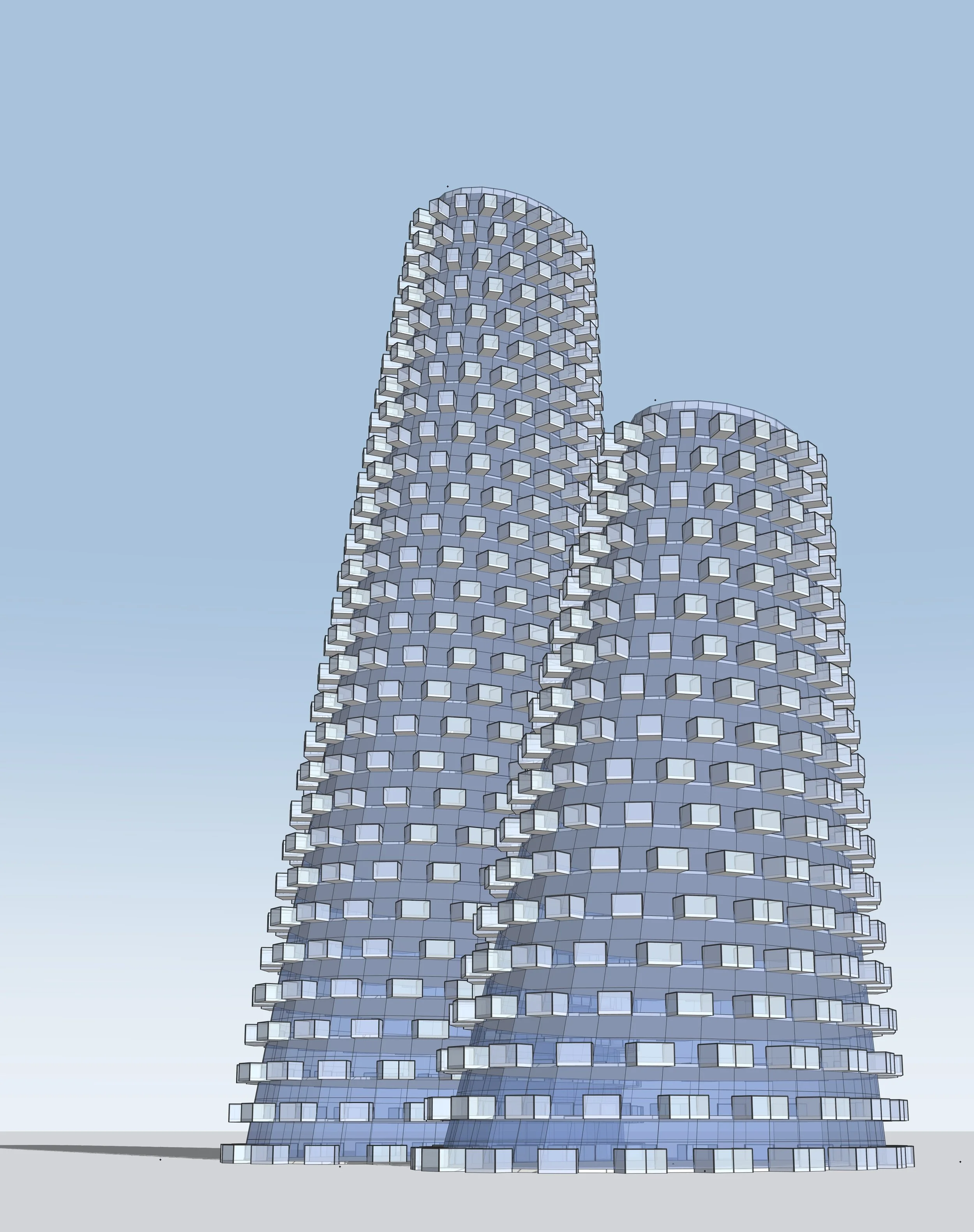
Create building concepts in minutes.
Explore design options, iterate faster, and stay in control with live parameters directly in SketchUp.

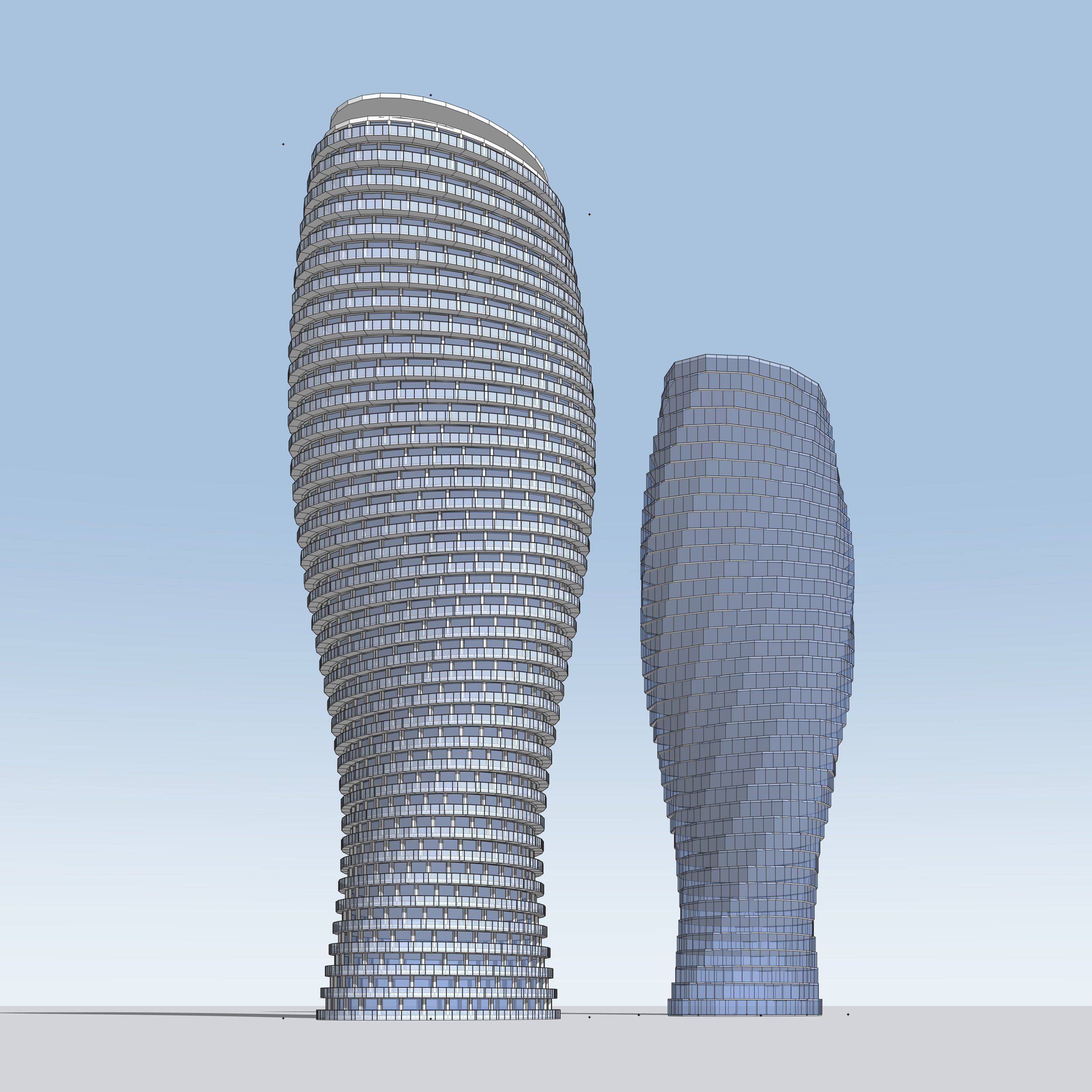
Paramodo is built for architects, designers, and design teams who need to move quickly from an idea to a clear building study inside SketchUp. It is especially useful during early design, when you are testing massing options, facade rhythms, floor counts, proportions, setbacks, balconies, and module relationships before committing to detailed modeling.
Instead of rebuilding geometry by hand every time the design changes, Paramodo lets you adjust the logic of the building and immediately explore another version. That makes it a strong fit for concept design, feasibility studies, client options, internal reviews, and any workflow where speed, control, and repeatable design decisions matter.
Paramodo is built by a team that brings together deep expertise in architectural design and software development. By combining real-world design experience with technical expertise, we are creating a tool that makes architectural workflows faster, smarter, and more flexible. We understand both the needs of architects and the challenges of building effective digital products. Our goal is to reduce manual, repetitive work so architects can focus on what matters most: spatial quality, design logic, and the creative process.
Who is Paramodo for?
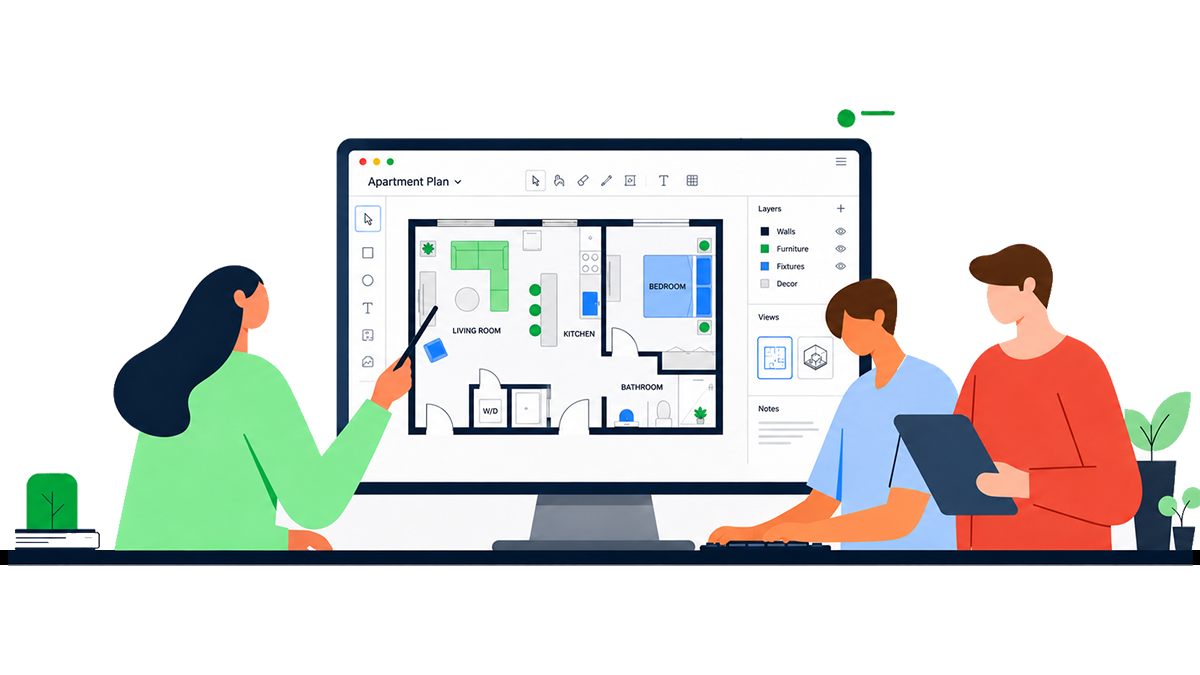
Paramodo helps architecture studios test building options faster without rebuilding the model from scratch after every change. Explore first massing ideas, competition concepts, facade directions, and form variations in one workflow. Instead of spending hours on manual updates, you can generate multiple workable options in 10–15 minutes, keep the building as a whole, and control deformations like twist and scaling with ease.
Architects

Built for real estate developers at the early planning stage, Paramodo helps you explore building scenarios faster without waiting on an architect for every change. Test height, depth, and massing variations in real time, study development potential more flexibly, and compare options while the discussion is still happening. Instead of long iteration cycles and full remodels, you can adjust the building live, review multiple workable directions, and move toward clearer decisions faster.
Developers

Paramodo helps architecture studios test building options faster without rebuilding the model from scratch after every change. Explore first massing ideas, competition concepts, facade directions, and form variations in one workflow. Instead of spending hours on manual updates, you can generate multiple workable options in 10–15 minutes, keep the building as a whole, and control deformations like twist and scaling with ease.
Planners
Usability
Control is built around clear architectural parameters inside SketchUp — no code and no complex systems. You can start using it immediately, without learning new software. The interface is intuitive and easy to use, with no extra setup or configuration steps.
Efficiency
Paramass saves time because you don’t have to rebuild the model manually after every change. Adjust key parameters (height, proportions, controlled deformations) and the form updates automatically — so in 10–15 minutes you can prepare and compare multiple workable options.
Predictability
All key parameters work as one system: change one input and the model updates as a whole. This delivers predictable results and stable geometry, even with frequent changes. You can confidently generate option sets and keep control of the form at every stage.
Workflow-ready
You get a clean model you can keep working with in SketchUp and take straight to rendering. The model is automatically organized into the right layers, and materials are easy to assign and update. This reduces prep time for presentations and renders, and makes handoff to your team simple.
What you can control
Shape the essentials of your project with clarity and confidence. Adjust size, layout, proportions, placement, and key design parameters to explore the outcome that fits your vision best.
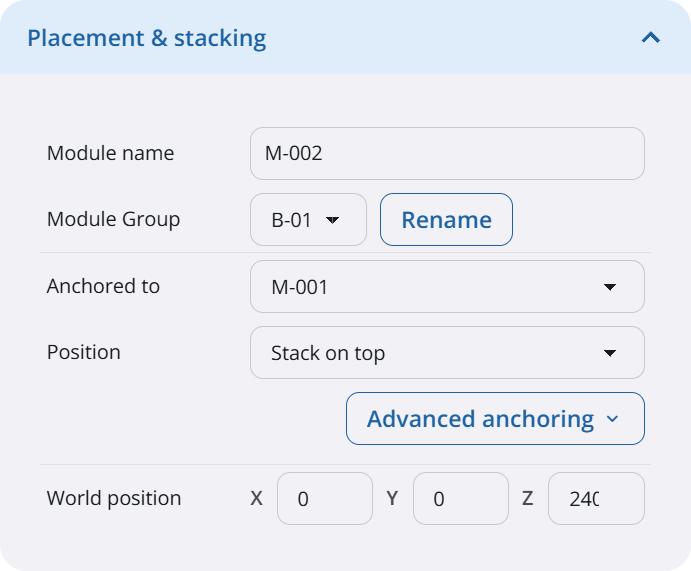
Control how modules attach, stack, and relate.
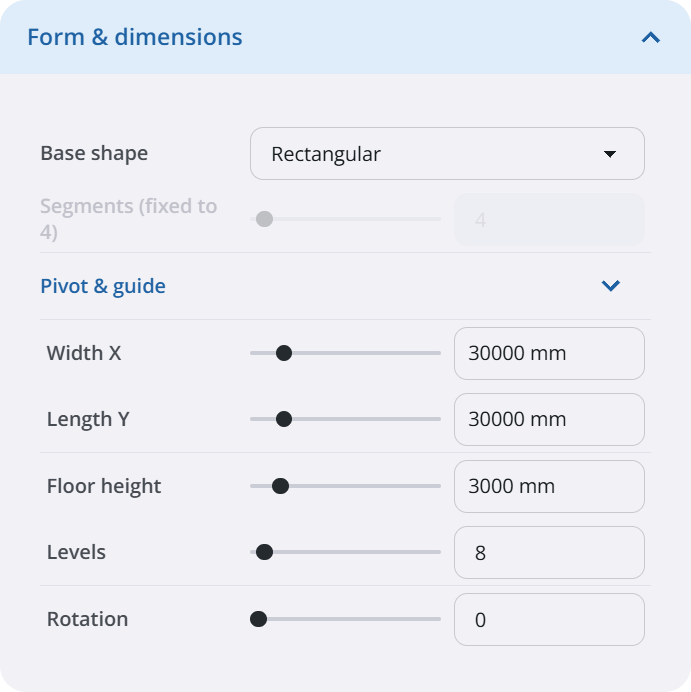
Define footprint, height, envelope, and proportions.
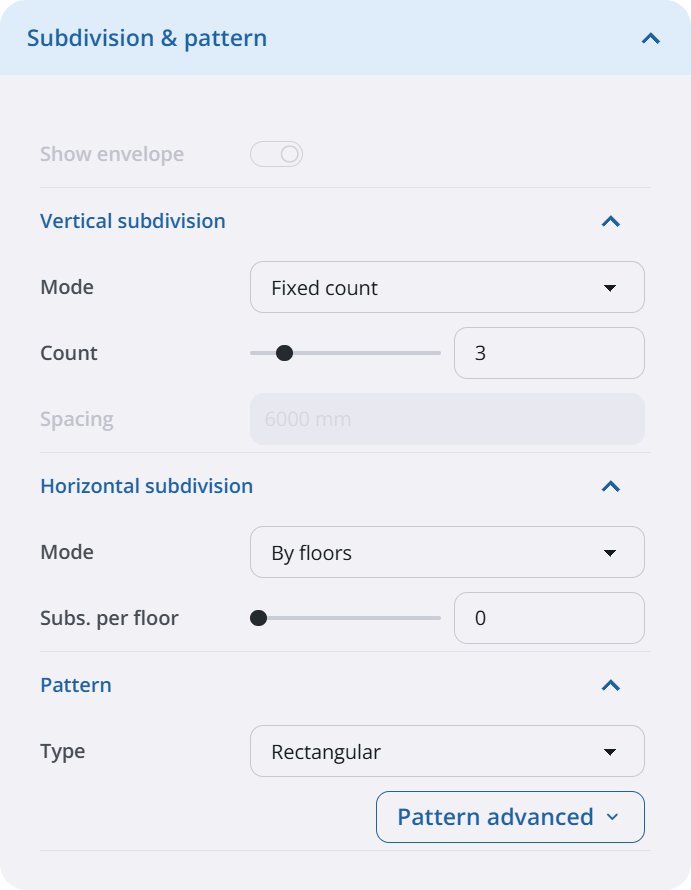
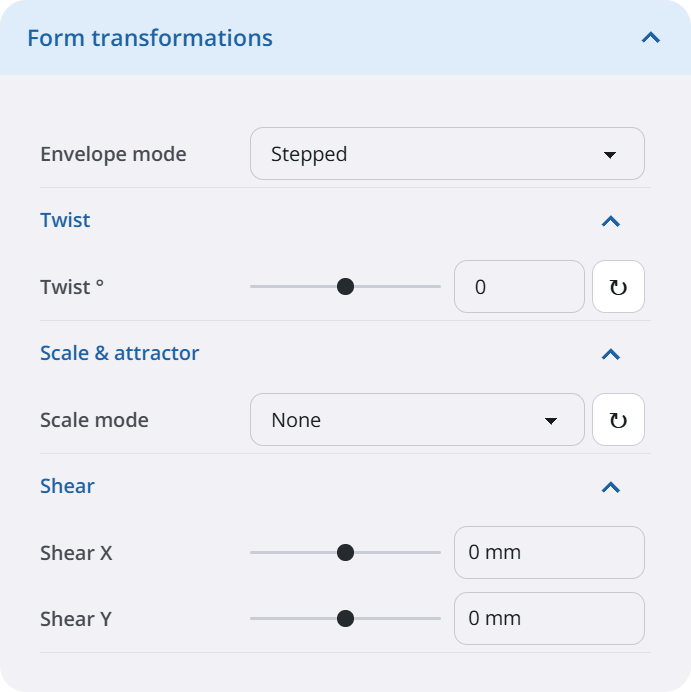
Set facade rhythm, grid logic, and pattern behavior.
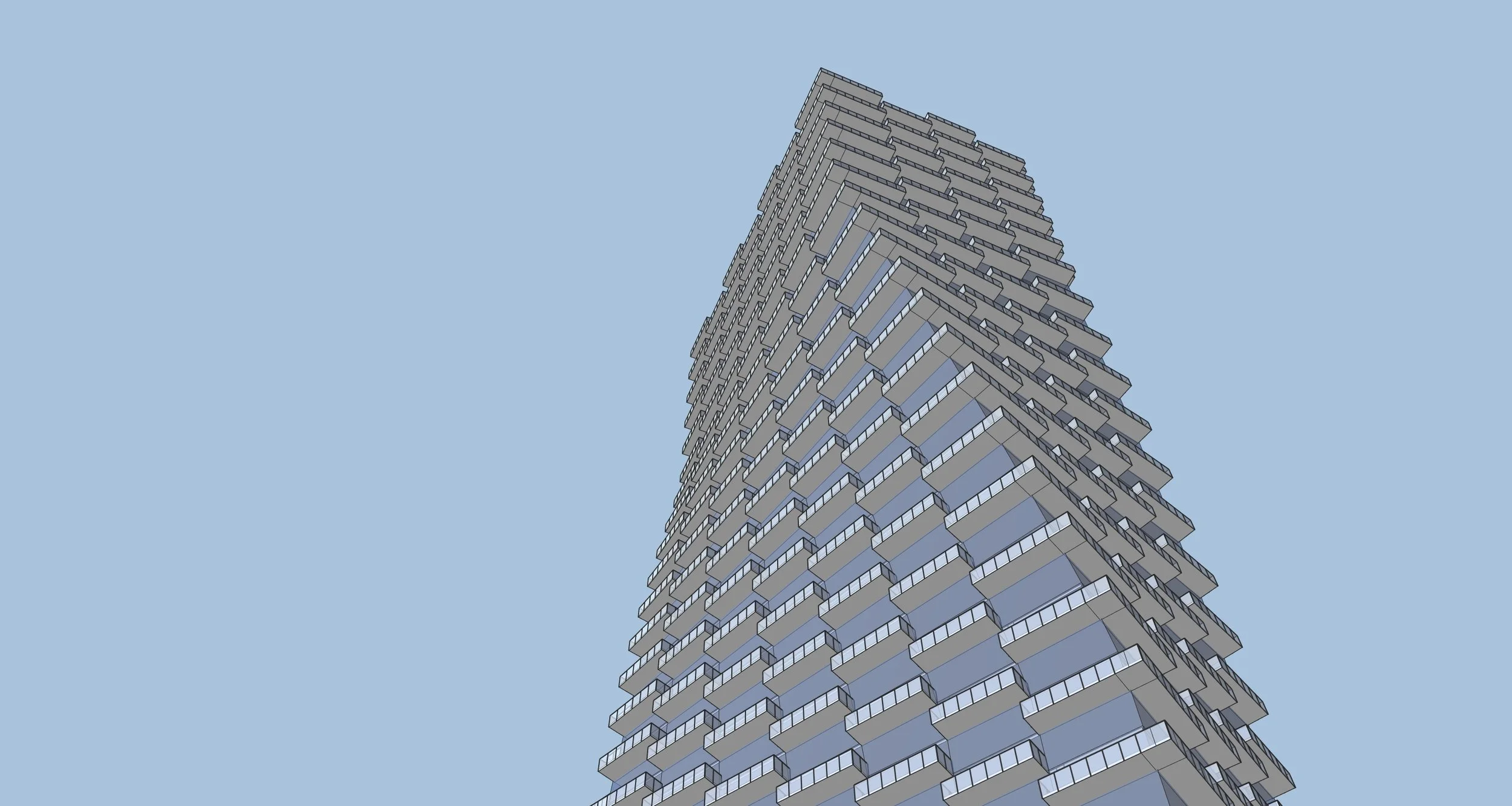
Shape the silhouette with taper, twist, and bend.
Lorem Ipsum is simply dummy text of the printing and typesetting industry. Lorem Ipsum has been the industry's standard dummy text ever since the 1500s, when an unknown printer took a galley of type and scrambled it to make a type specimen book.
Available Plans
Find the Paramodo that best fits your workflow
Starter
For getting started quickly
Single-building massing workflow
Essential parametric controls
Basic transformations
Essential project statistics
Pro
For advanced design workflows
All in Starter plus:
Unlimited modules and variations
Complete parametric controls
Massing and facade detaling
Facade systems contols
Advanced placement and stacking
Module and floor analytics
Nvidia GPU acceleration
Presets, import and export
Early Acces
FAQ
-
Paramodo is a SketchUp extension for generating parametric building forms. Instead of manually modeling every piece of geometry, you define modules, dimensions, facade rules, placement logic, and materials, then adjust the design through controls.
-
Paramodo is built for architects, designers, and teams doing early-stage massing, facade exploration, tower studies, and repeated building-configuration tests inside SketchUp.
-
Paramodo targets SketchUp 2024, 2025, and 2026.
-
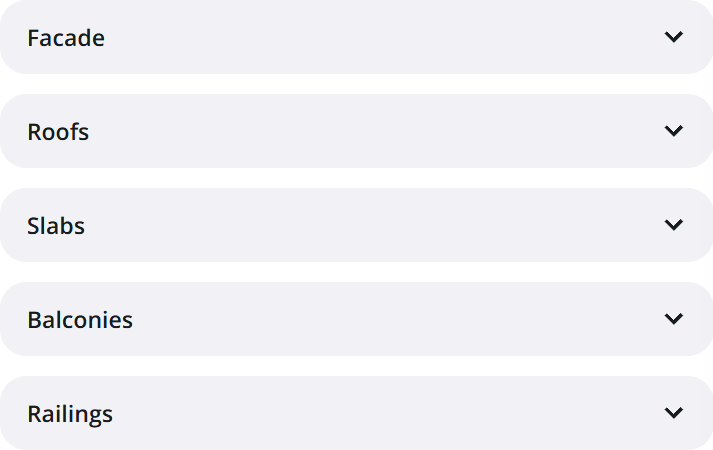
You can create building modules with configurable levels, footprint dimensions, facade systems, roofs, slabs, balconies, railings, materials, deformations, and placement relationships between modules.
-
Starter includes the core module creation workflow. Pro unlocks advanced capabilities such as more placement options, group-level editing, advanced geometry controls, material overrides, and selected acceleration or productivity features.
-
No. Paramodo has CPU fallback paths, so basic generation does not require a GPU. CUDA acceleration is optional and is intended to speed up heavier geometry workflows on supported NVIDIA hardware.
-
Yes. Paramodo supports exporting and importing human-readable JSON settings. Imports are validated and clamped to safe limits so invalid values do not crash the extension.
-
Yes. The intended workflow uses SketchUp’s native copy/paste behavior. Paramodo detects duplicated Paramodo module groups and adopts them as new modules with fresh IDs while preserving the copied module’s settings.
-
Yes. Paramodo runs inside SketchUp, uses SketchUp groups and the SketchUp Ruby API, and keeps common actions such as placement, selection, undo, copy/paste, and module organization aligned with SketchUp behavior.
-
Paramodo communicates with its backend over HTTPS for registration, licensing, checkout, billing status, and crash reporting. Crash reports and diagnostics are used to help troubleshoot issues, and licensing uses account and machine-status checks to manage Starter, Trial, and Pro access.
Still have questions? Take a look at the FAQ or reach out anytime. If you’re feeling ready, go ahead and apply.
Lock in Early Access Pricing
Get Paramodo 0.9 Pro for $100/year
with promo code:
EARLYBIRD2026
Includes a free upgrade to Paramodo 1.0 when it launches.
Available for a limited time before regular pricing starts.

Gallery test

Gallery test 2

Gallery test 3